

A slipping or hesitating treadmill belt is one of the most common service calls a fitness equipment technician receives — and one of the most misdiagnosed. Users typically describe it as a "catch," "jerk," or momentary pause under each footstrike. The cause is almost always one of four things: insufficient walking belt tension, a worn or loose motor drive belt, a dry deck creating excess friction, or a failing drive motor.
This guide, written by nationally certified NCFET technicians, walks through the professional diagnostic sequence so you fix the actual cause instead of guessing. Over-tightening a walking belt to mask a dry deck is the single most common DIY mistake we see in the field — it accelerates deck wear, strains the motor, and turns a $20 lubrication job into an $800 deck-and-belt replacement.
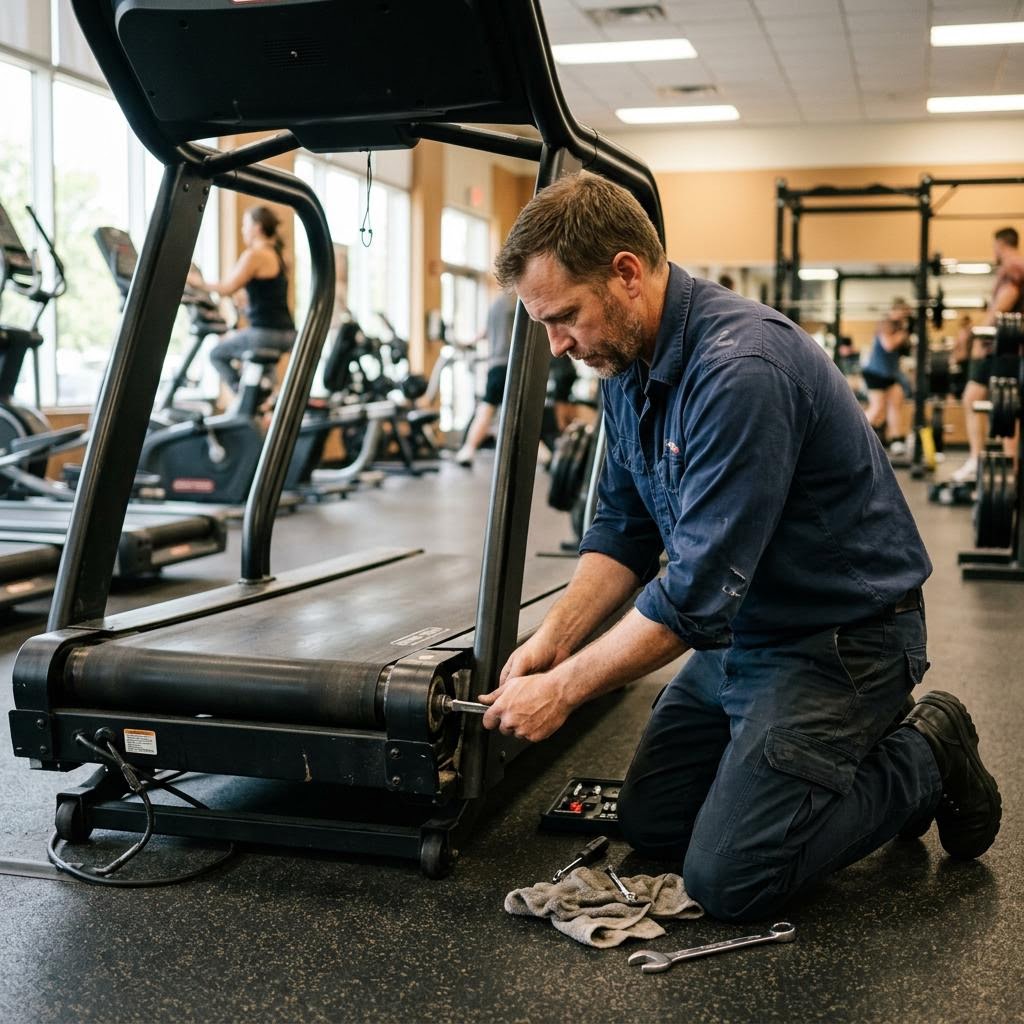
First, identify which belt is slipping
A treadmill has two belts: the walking belt you run on, and the drive belt connecting the motor to the front roller. Their failure symptoms differ, and telling them apart takes under a minute.
With the treadmill unplugged, remove the motor hood. Plug the machine back in, start it at a low speed (1–2 mph), and press down firmly on the walking belt with one foot while holding the handrails (or have a helper walk on it). Watch the components: if the front roller keeps spinning while the walking belt hesitates, the walking belt is loose or the deck is dry. If the motor spins but the front roller hesitates, the drive belt is worn, glazed, or loose.
Rule out a dry deck before touching tension bolts
Excess friction from a dry deck mimics belt slippage almost perfectly, because the motor cannot overcome friction at footstrike. Before adjusting anything, check lubrication: unplug the machine, lift the walking belt edge, and slide your hand under to the center of the deck. On a wax-impregnated or silicone-lubricated deck you should feel a slightly slick surface. If it is bone dry or you see black dust residue (belt wear particles), lubricate first following the manufacturer's specification, then retest.
Amp draw confirms it objectively: most commercial treadmills display motor current in their engineering/service mode. A healthy machine typically draws well under its rated limit with a walking user; a high-friction deck shows elevated amps that climb with use. Consult the service manual for your model's threshold.
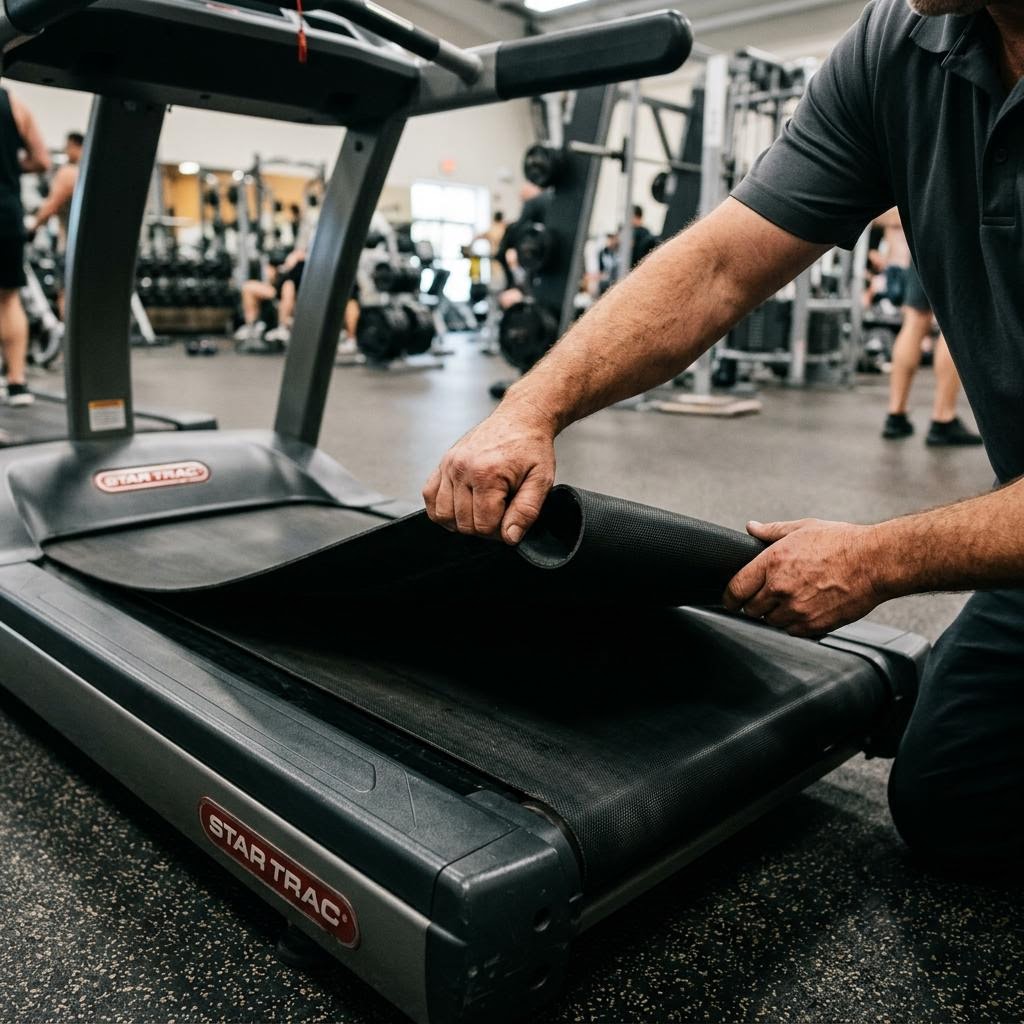
Walking belt tension: the 2–3 inch lift test
Proper walking belt tension allows you to lift the belt edge roughly 2 to 3 inches (5–7.5 cm) off the deck at the midpoint of the side rail. Less than that is over-tight; significantly more is loose. Tension is adjusted with the two rear roller bolts (usually 3/8" or 8 mm Allen), and the cardinal rule is symmetry: turn each bolt the same amount — quarter-turn increments — or you will steer the belt off-center and create a tracking problem on top of a tension problem.
Drive belt wear: glazing, cracking, and the thumb test
Multi-rib (poly-V) drive belts wear by glazing — the ribs polish smooth and lose grip, often with a distinctive squeal at startup. Inspect for shiny rib surfaces, cracks across the ribs, or missing rib chunks. With the machine unplugged, press the drive belt midway between motor and roller pulleys: more than about 1/2 inch (13 mm) of deflection under firm thumb pressure indicates it is loose (exact spec varies by model). Most drive belts are tensioned by pivoting the motor on its mount; some are static and require belt replacement when stretched.
A glazed drive belt should be replaced, not tightened. Over-tensioning a glazed belt loads the motor and roller bearings and only postpones the failure.
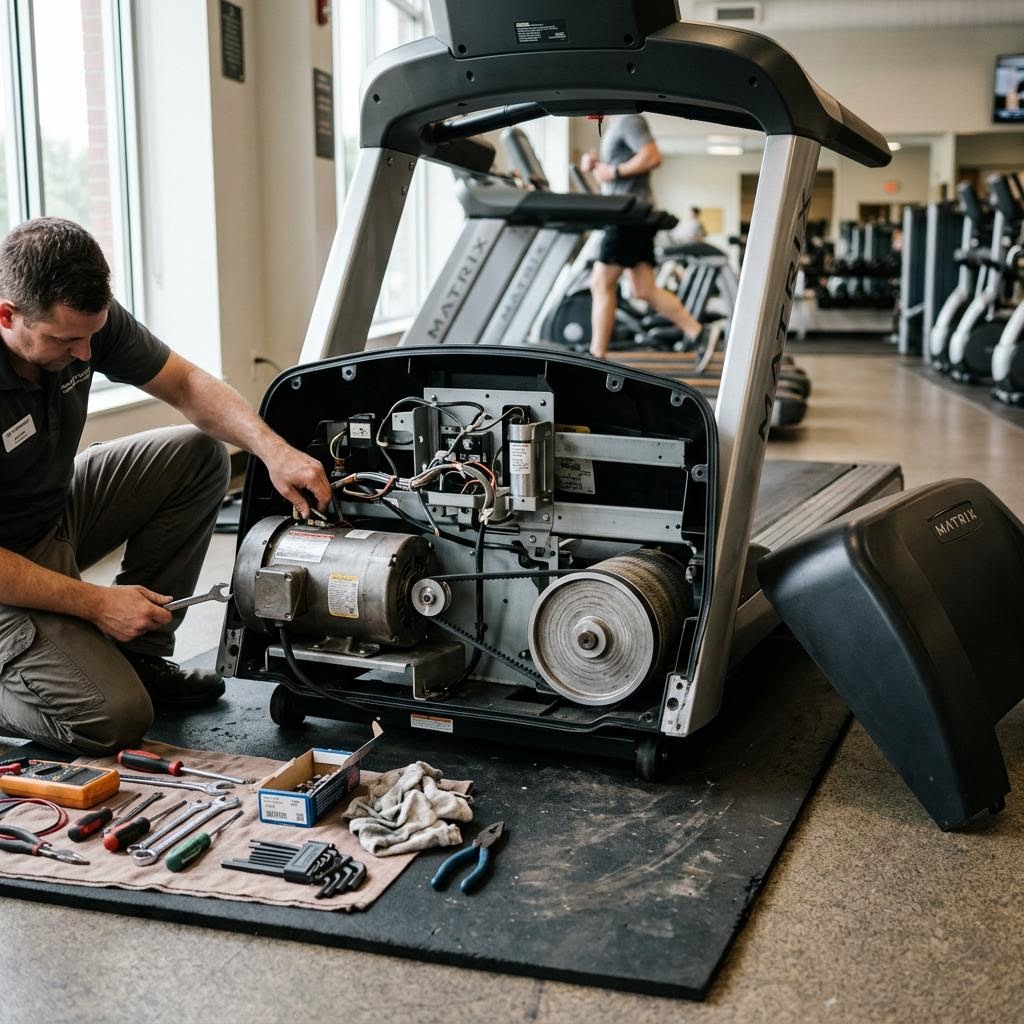
When it isn't the belts: motor and controller causes
If both belts check out and the machine still hesitates under load, suspect the drive system. Worn motor brushes (DC motors) cause power loss under load and visible arcing; most brushes are replaceable and should be inspected once they wear below roughly 1/4 of original length. A failing motor controller (MCB) can also present as hesitation, often accompanied by error codes — see our treadmill error code guide for the diagnostic path.
Drive-system diagnosis involves lethal voltages and should be handled by a qualified technician. This is exactly the skill set covered in the NCFET CET-1 certification curriculum.
How to adjust walking belt tension
Unplug the treadmill
Disconnect power completely. Never adjust rollers on a machine that is plugged in.
Locate the rear roller bolts
Find the two adjustment bolts at the rear of the side rails (typically 3/8" or 8 mm Allen heads behind end caps).
Check current tension
At the belt midpoint, lift the belt edge. A properly tensioned belt lifts 2–3 inches off the deck.
Tighten in quarter turns, symmetrically
Turn the left and right bolts clockwise exactly one quarter turn each. Equal turns keep the rear roller square so the belt tracks straight.
Test under load
Plug in, run the belt at 2–3 mph, and walk on it. If slipping persists, repeat with another symmetric quarter turn. Never exceed one full turn total without re-checking deck lubrication and drive belt condition.
Verify tracking
Run the belt at 3–4 mph with no load for two minutes and confirm it stays centered. Correct any drift with 1/8-turn adjustments on one side only.
Tools & Supplies
- Allen wrench set (3/8" / 8 mm typical)
- Phillips screwdriver (motor hood)
- Manufacturer-approved deck lubricant
- Clamp meter or service mode display (amp draw check)
Frequently Asked Questions
Why does my treadmill belt slip only when I step on it?
Because slippage is a torque problem that only appears under load. The three most likely causes, in order: the walking belt is too loose on the rollers, the deck is dry and friction spikes at footstrike, or the motor drive belt is glazed and loses grip under load. An unloaded belt can run perfectly while any of these exist.
How tight should a treadmill walking belt be?
Tight enough that you can lift the belt edge only 2 to 3 inches off the deck at the midpoint. Tighter than that accelerates bearing, deck, and belt wear and increases motor amp draw. If a belt needs more than about one full turn of additional tension to stop slipping, something else — usually deck friction or the drive belt — is the real problem.
Can I use WD-40 or household silicone spray on a treadmill deck?
No. Treadmill decks require 100% silicone lubricant (or manufacturer-specified wax) formulated for walking decks. WD-40 is a solvent, not a lubricant — it strips existing lubrication and can damage the belt backing. Many manufacturers also void warranties for non-approved lubricants.
How often should a treadmill belt be replaced?
There is no fixed interval — condition determines replacement. Replace the walking belt when the underside shows fraying, delamination, or wear-through of the infused lubricant layer, or when amp draw remains high after lubrication. In commercial facilities, belts typically last 1–3 years depending on daily mileage and maintenance discipline.
Standards & References
- ASTM F2115 — Standard Specification for Motorized Treadmills — The safety specification motorized treadmills are designed to.
- U.S. CPSC — Treadmill Safety Alerts — Consumer Product Safety Commission recalls and safety guidance for treadmills.
This guide is provided as a free educational resource by NCFET and its certified technician team. Always follow your equipment manufacturer's service manual, and leave line-voltage electrical work to qualified professionals. You are welcome to cite or link to this guide; please attribute it to the NCFET certified technician team and link to this page.
Related Guides
Need a professional? Or want to become one?
Find qualified service providers in the NCFET directory, verify any technician's credential at ncfet.com/verify, or start your own path to national certification.